5 Common Linux Misconceptions

1. The Linux Filesystem Hierarchy is a logical, sensible structure

It’s not. It’s something that has been cobbled together in an attempt to unify diverging practices. In an age of terabyte hard drives its easy to forget a time when you were limited to just a couple of floppy drives for storage and had to store programs across different locations.

That’s why program files today are stored in /usr and /opt. And /usr/local. And /usr/bin and /usr/sbin. Oh and /bin and /sbin. When you can’t store everything in one place, you have to make (sometimes artificial) distinctions between where things go. Remember a time when you used to boot up a computer with one floppy, then put in a second floppy with an application program, then a third floppy with data files?

Someone designing a directory structure in a world where terabyte HDDs are the norm might be persuaded it was a good idea to keep bootup files separate in /bin. But /usr/sbin? /opt? I don’t think so.

Have a look at Gobolinux http://www.gobolinux.org/ As they say

GoboLinux is an alternative Linux distribution which redefines the entire filesystem hierarchy.

If you want to know what goes where, there’s a nice overview of the Linux Directory Structure here: http://www.comptechdoc.org/os/linux/usersguide/linux_ugfilestruct.html

2. Bash is just like the Windows shell, except with different commands

Here’s a simple test. How do you use the ls command to list directories only?

Checking the man page, it’s obviously ls -d, right?

Wrong.

Do a Google search on linux list directories only and you’ll find a lot of people making the same mistake. It all comes down to failing to realise that its Bash that’s expanding the * wildcard, and not the ls command itself.

If you’re going to use Bash, you’re going to have to take a little time to read up on how it works. This is a great site: http://linuxcommand.org/

(My preferred method is ls -d */, btw.)

3. The .exe files are in there somewhere

It’s easy to accept that file extensions aren’t necessary in Linux, but it’s hard to shake the idea that something like exe files are still lurking in there somewhere, albeit under different names.

Not really. Linux is far, far more modular than Windows. This is down to the philosophy on which the system is built: programs tools chain their input and output to produce results. A typical Windows application is a flat pack wardrobe, something that solves one problem. A typical Linux application has been formed from many parts using the equivalent of saws, hammers, screwdrivers and chisels.

As an example, a GUI based program that would be a single exe file in Windows would typically be a graphic interface to command line utility in Linux. In terms of user experience, there should be no difference, but behind the scenes, things are very different.

4. Linux is faster/uses less resources than Windows

That may have been true back in the Windows Vista Bloatware days, and it may be true for lightweight distros like Puppy Linux http://puppylinux.org/ and Damn Small Linux http://www.damnsmalllinux.org/, but its not so true now.

Windows 8 may have the worst user interface ever devised, but it installs quickly, loads quickly and runs quickly, matching if not beating systems like Ubuntu 14.04 in benchmark tests.

Why mention Ubuntu 14.04? Well, that leads onto the next point…

5. It doesn’t matter what it looks like, so long as it works

It does.

It really, really matters.

You might do everything via the command line. You might think that Openbox is all you need as far as desktop management goes, but you’re in a minority.

If you’re the only person using your computer, then fine, but if your less technologically inclined partner, friends, parents or children are relying on you to provide the IT then all of a sudden looks really matter.

Of course they does. In a world slowly being taken over by Apple this is so obvious it shouldn’t need saying.

The command line is fantastic, lxde is a miracle of economy, damn small linux is damn fine, but they’re not what most people regard as a solution. What most people want is something that looks good and is so easy to use they don’t even have to think about it. And there’s nothing wrong with that. I don’t care how my shirts are made as long as they look smart and feel comfortable. Most people feel the same way about their computer.

How Writers Write: Keith Brooke

Following the interested generated by my posts on How To Write, I thought it might be interesting to see how other writers produce their work.

How Writers Write is monthly series of guest posts where established writers invite you into their workspaces, reveal their work habits and share their experience.

First up is the incredibly talented Keith Brooke:

How would you describe yourself?

How would I describe myself? I write, I edit, I design. I work in lots of different fields, under a variety of pen-names. Much to my (now-retired) agent’s frustration, I flit about between all these things, with little in the way of a coherent career plan. And I love it.

What do you use to write?

Story Notes
First Draft

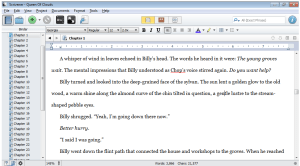
Everyone raves about Scrivener so I keep thinking I should give it a go. I’ve even gone as far as buying a copy when it was on sale a couple of months ago. I’ve opened it, and followed a tutorial; I’ve played with creating my own templates to suit the way I work. And then I’ve gone back to Word and text files. It just suits me, particularly now that I have two monitors, so I can have lots of files open and visible at the same time.

I tend to keep notes of ideas on my phone, then transfer them to text files or Word docs every so often. When I’m in the thick of a draft, I’ll usually have a notes file on my phone just for that project, as ideas come at the most unhelpful of times. I’ll also have a Word file for that project’s notes: a short overview; notes on characters, settings and anything else that’s relevant (maybe some scientific aspect, or politics, or history). I’ll also have a more detailed outline to work from, which is very much a work in progress, modified as I go on and the real story emerges. And then there’s the actual draft itself: just one Word document, regardless of how long the story will be. That sounds awfully efficient and well-organised of me, and I guess to an extent it is: an approach refined over three decades of writing.

When do you write?

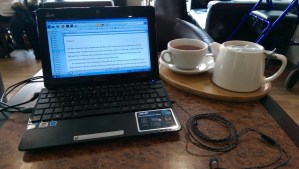
kblaptopBack when I had a day job I trained myself to write at any opportunity. The first draft of The Accord was written in coffee shops, bars, at an airport, at friends’ houses, in the back of a car, in lunchbreaks at work, and probably other places that I forget now. If I could grab even as little as ten minutes, I could get a few more paragraphs down; more importantly, it meant that the next time I had a more substantial writing session the story was fresh in my head so I could hit the ground running.

I left my day job last year and now it’s more a matter of juggling different projects: as well as writing under various pen-names, I edit, run the infinity plus publishing company, and do various other design and publishing activities. One consequence of this is that each day tends to be a different mix, and it’s rare that I get a day just to write. I do, however, get more frequent and longer writing sessions than I used to manage, which is lovely.

I try hard to keep my writing and publishing activities to normal working hours, so that I get evenings and weekends for other things. It’s flexible, though: sometimes real life intrudes during the week (that’s happening a lot right now), and sometimes writing commitments mean I get up early (sometimes I’ll start at 5 or 6 in the morning) or keep working into the evenings and weekends. I do manage to keep a pretty good balance, though.

Where do you write?

nopower

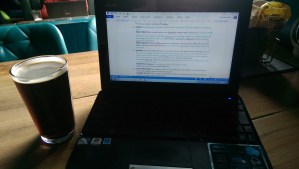
The Accord was probably an extreme example of writing wherever and whenever I get the opportunity. I do sometimes take my old Netbook away on trips and write on planes, in hotel rooms, etc. Now that I write and edit full-time, though, my habits are a lot more regular. Or rather, they were, and they will be; they just aren’t at the moment.

How it used to be… Up until January, I’d set up office at one end of our dining room table, with a desktop PC, two big monitors and a comfy office chair (I started out just using one of the dining chairs, but that played havoc with my back).

How it will be… We’re in the process of converting the dining room into a work area. My wife Debbie needs cake-decorating space (https://www.facebook.com/brookesbakes), so she’ll have a work area for that on one side of the room, and I’ll have a proper desk on the other side of the room.

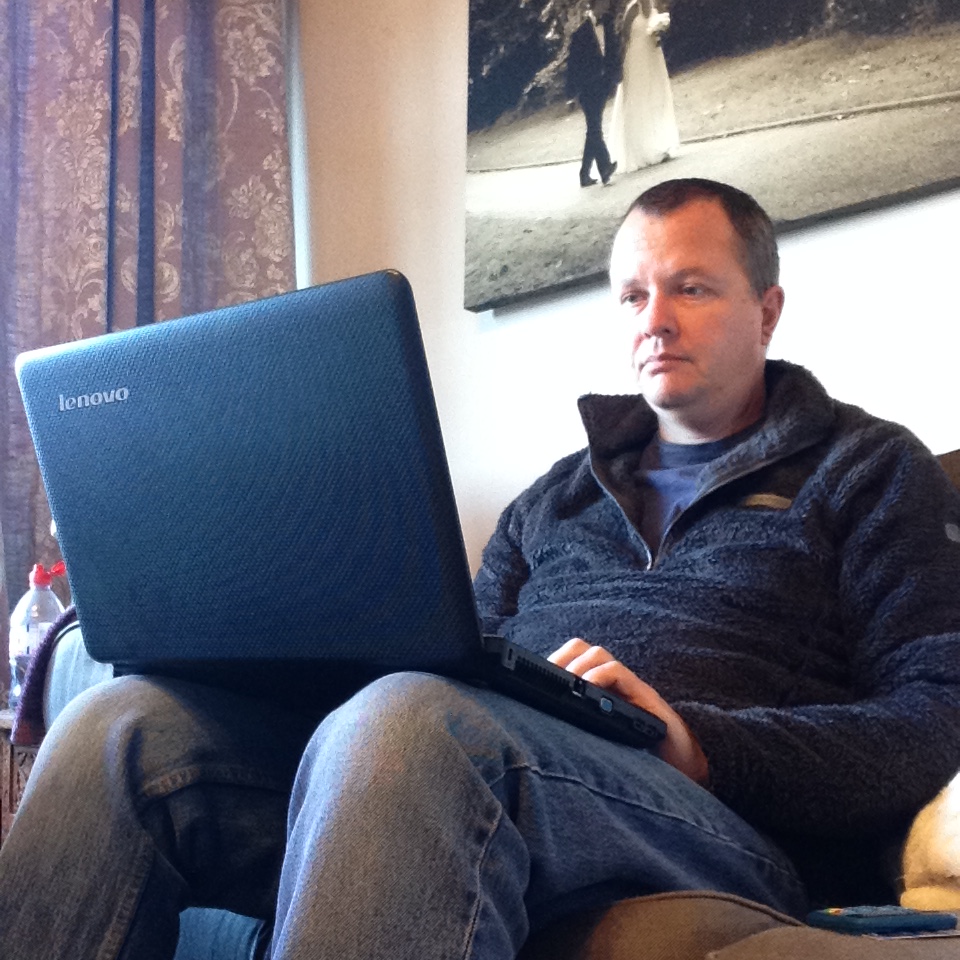
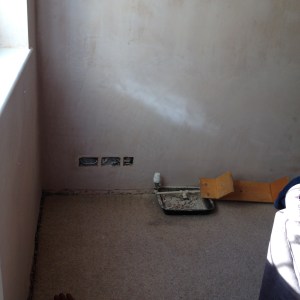
At the moment… It’s a building site. We’ve knocked down walls and had plastering done, we’re re-doing the kitchen at the same time, and the place is complete chaos. I’m spending a lot of my time doing all the jobs we’re not paying other people to do: emptying cupboards, moving furniture, decorating… And my work? I’m on a cranky old laptop that runs slow and often not at all, with old software and nothing where I want it (I’ve been spoilt by the shiny new desktop PC!). At the moment I tend to work on one of the living room sofas, wrecking my back again (or maybe that’s down to all the lifting – a writing life doesn’t prepare you for all that physical stuff).

How do you write?

First Draft
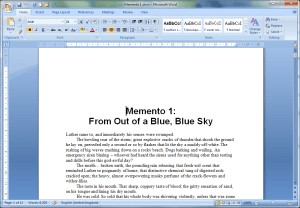
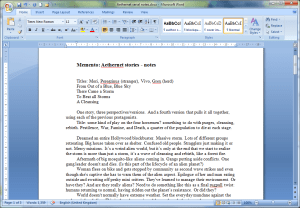
Memento Notes

I can work in distracting, noisy places, but I don’t choose to have music or TV on when that’s within my control. I usually have ‘net access, but that can be a big distraction, so sometimes I just switch the wireless off for half an hour or so.

My working outlines are a lot more skimpy than they were in the early days – a confidence thing, as much as anything else. As a minimum my outline will have a few key points: opening, ending, and some landmarks along the way.

I’ve taught writing to postgraduate level, and I always make the point that I’m never going to teach people the way to write; it’s all about helping them find their own way to write. Having said that, there are some basic rules that tend to help most people. Foremost among these is that once you have words down on the page you have something to work with: bad writing can usually be fixed, but polishing that fabulous idea while it’s still in your head doesn’t really get you anywhere.

So I write. Often fast, just to get those words down. And often, even when I think I’m writing rubbish, when I come back to edit I see that it’s okay: there’s always something I can work with, at least. I’m disappointed if I don’t hit 2000 words on a writing day, and my peak, fuelled by caffeine, deadlines and desperation, has been more than 10,000. Some people may see that as hacking it out – how can the quality possibly be there, when you write so fast? I see it as honed technique: when I’m working like that, I’m capturing the big picture and writing with a lot of energy and momentum; the rewriting brings refinement and adjustment until I’ve hit the right balance. But if there’s one rule of writing, then for me it’s Get Those Words Down.

Questions of style. First Person, Third person, present tense, past?

pcYes, to all of those. Whatever suits the story. The Accord is my most complex in terms of viewpoint, as it’s told from first person present and past tense, third person present and past, second person present, past and future tense, and then various hybrids of multiple first and third person devised to portray the viewpoint of multiple characters and character-fragments sharing the same brain. It sounds complicated and for the first half of the first draft I didn’t even understand it myself, I just wrote each scene as seemed appropriate; and then, one day away from the computer, it all mad sense to me, the rationale for the different viewpoints and the drift for some characters from an intimate inside-the-head viewpoint to a distanced, more reportage perspective.

Viewpoint and style aren’t things I really sweat over before starting. They usually emerge while an idea is developing, so that by the time I sit down to start a draft the storytelling voice and approach are clearly established in my head. Sometimes elements of style emerge as I start to write (an angry voice, a consciously smooth style, etc), and when that happens it’s just a matter of going back and fixing the early pages – as long as you have those words down, you can fix that later, when the first draft is done

How many redrafts? – How many readers? – How easy is it to let go?

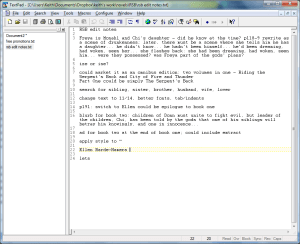
Edit Notes
Edit Notes

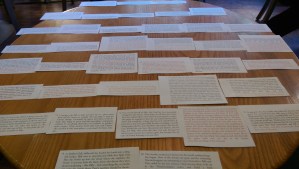
Back when I printed actual drafts, each piece would have at least three printings. I’d print the first draft and then edit it longhand until it was barely legible. Then I’d type in the changes, print a clean copy and repeat as necessary.

Nowadays I rarely print anything, so my drafts are far less easy to distinguish. I’ll often edit the early stages of a story to ease myself into writing new material for the day, so the early parts of a novel might be the equivalent of second or third draft even before the overall draft is complete.

After all the revisions, it’s off to my trusty first reader, Eric Brown. We’ve swapped drafts for something like 25 years – a trusted first reader is one of the most valuable tools in a writer’s kit, and Eric is a very good tool. I should probably rephrase that… Neither of us pulls punches when critiquing each other’s work, and we’re both prepared to ignore crits that we don’t agree with. Generally, I’ll act on about 75% of the things Eric spots; then I’ll probably mull over much of the remaining crits, wondering how he missed the point so badly. Then I’ll come back to the draft and probably act on those remaining crits, too, once I see that he’s right.

What are you working on at the moment?

kdpsales

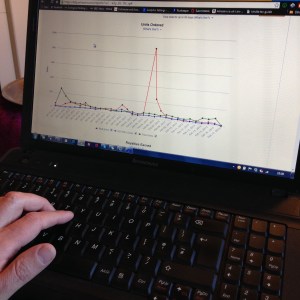
I’ve been doing lots of work for infinity plus recently, with Garry Kilworth’s fabulous historical novel The Iron Wire published recently – this one tells the story of the men who constructed the first telegraph line across the heart of Australia in the 1870s. And Eric’s collection of ten short stories, Deep Future – it’s great to be publishing some of his books these days. My own most recent novel is the big epic fantasy, Riding the Serpent’s Back , a widescreen story of a civilisation’s end days.

More Information

Keith Brooke’s Website: http://www.keithbrooke.co.uk/

InfinityPlus: http://www.infinityplus.co.uk/

How Long does it Take to Write a Novel?

The answer? Fifteen days, twenty hours and fifty five minutes.

I know that because I finished Dream Paris yesterday and I’ve been clocking the time I spent working on the novel.

The time includes the writing of the first draft of the novel and three redrafts: first redraft, the second following feedback from my wife and a third following feedback from other readers. The novel is now with my editor awaiting his feedback and will probably undergo at least two further redrafts.

I’ve not counted time spent planning the novel or the notes I made prior to embarking on the writing. As some of the ideas, scenes and dialog that appear in the novel have been collected over several years, it was difficult to measure this.

Some statistics you might find interesting:

I started on the 18th February, 2014 at 9:58am
I finished on the 20th February, 2015 at 3:00pm exactly

If I’d been writing an 8 hour day the novel would have taken around 48 days to complete.

The book is almost exactly 100 000 words as it stands, given that it took just short of 381 hours to write that gives an average word rate of a rather pitiful 262 words an hour. Given that the first draft took around half the total time to complete, that makes the word rate a more respectable 524 words an hour. As I normally average around 850 words an hour, the missing words are partially accounted for by the fact that I cut around 60 000 words from the novel due to mistakes, changing my mind or no good reason.

If you’re interested how I collected this data, well, have I mentioned Emacs? I recorded the time taken using org-mode. You can find out more by reading this post on My Emacs Writing Setup.

10 Books I Couldn’t Put Down

I don’t know what my favourite book is, but the following are books I read at various times of my life that, at the time, I couldn’t put down. Most of them I finished in maybe one sitting – definitely no more than two or three – perhaps whilst lying ill in bed or on holiday.

Some of them I’ve read over and over again, two of them I’ve only read once (one of those because it’s not yet available on Kindle and I don’t buy paper books any more)

Most of them are expertly crafted, one of them is appallingly written. All but two have very good stories, half of them are strongly plotted, three of them are character driven, three of them made me laugh out loud, three of them made me smile, four of them had me on the edge of my seat, none of them made me cry. Maybe three of them would get into my top ten books ever.

In no particular order…

  • Rachel’s Holiday by Marian Keys
  • The Bonfire of the Vanities by Tom Wolfe
  • The Hitch Hiker’s Guide to the Galaxy by Douglas Adams
  • The Secret Diary of Adrian Mole aged 13 3/4 by Sue Townsend
  • The Mote in God’s Eye by Larry Niven and Jerry Pournelle
  • Complicity by Iain Banks
  • A Tale of Two Cities Charles Dickens
  • The Rainmaker by John Grisham
  • Harry Potter and the Deathly Hallows by JK Rowling
  • The Da Vinci Code by Dan Brown

​10 Books I Couldn’t Put Down

I don’t know what my favourite book is, but the following are books I read at various times of my life that, at the time, I couldn’t put down. Most of them I finished in maybe one sitting – definitely no more than two or three – perhaps whilst lying ill in bed or on holiday.

Some of them I’ve read over and over again, two of them I’ve only read once (one of those because it’s not yet available on Kindle and I don’t buy paper books any more)

Most of them are expertly crafted, one of them is appallingly written. All but two have very good stories, half of them are strongly plotted, three of them are character driven, three of them made me laugh out loud, three of them made me smile, four of them had me on the edge of my seat, none of them made me cry. Maybe three of them would get into my top ten books ever.

In no particular order…

  • Rachel’s Holiday by Marian Keys
  • The Bonfire of the Vanities by Tom Wolfe
  • The Hitch Hiker’s Guide to the Galaxy by Douglas Adams
  • The Secret Diary of Adrian Mole aged 13 3/4 by Sue Townsend
  • The Mote in God’s Eye by Larry Niven and Jerry Pournelle
  • Complicity by Iain Banks
  • A Tale of Two Cities Charles Dickens
  • The Rainmaker by John Grisham
  • Harry Potter and the Deathly Hallows by JK Rowling
  • The Da Vinci Code by Dan Brown

My Ubuntu Set Up

Installing Ubuntu is quite straightforward. One thing that stumps many new users, however, is which programs to install next. Windows users can find themselves faced by a bewildering range of programs, many of which appear to do the same job.

The following are the applications I install. I’m not saying they’re the best, but they will get you started with a system that does most of the things you require. I’ve included applications already included in the Ubuntu install for the benefit of those using other distros. These pre installed applications are marked like this

  1. Install Ubuntu

  2. Check for software updates

  3. Install the things that will help me install everything else

    • Dropbox: for access to my files
    • Emacs: Text Editor
    • Lastpass: password manager
    • Chrome: because waiting for Firefox to install updates each time its opened is really irritating.
  4. Install encfs: encrypts Dropbox files

  5. Install productivity and entertainment applications

    • Libre Office: Word Processor, Spreadsheet etc
    • Shotwell: Photo Manager
    • Gimp: Image Manipulation (like Photoshop)
    • Shutter: Print Screen
    • Geary: Lightweight email client
    • VLC : Media Player
    • MediaTomb: UPnP Media Server
  6. Install a number of useful drivers and utilites
    sudo apt-get install…

    • aptitude: alternative to apt-get
    • nautilus-open-terminal: right click in nautilus to open current location in terminal
    • nautilus-image-converter: right click in nautilus to quickly edit image
    • gparted: Graphically edit disk partitions
    • nmap: Scan networks
    • vim: Old text editor
    • feh: fast and flexible image viewer
    • filezilla: ftp client
    • ubuntu-restricted-extras: support for such things as mp3, avi, mpeg, TrueType, Java, Flash, Codecs
    • sudo /usr/share/doc/libdvdread4/install-css.sh: Play restricted DVDs
    • Deja dup: Simple backup software
    • backintime: snapshot backup software
    • openssh: Networking
  7. Install Wine, the Linux windows emulator, and the Chrome UA Spoofer app. The spoofer app fools the browser into thinking it’s running on a different machine. This makes it easy to download and install the Evernote Windows client

  8. Install the following External Packages

    • Tomahawk: Unified Media Player
    • Calibre: ebook management
    • Spotify Client: Not really needed now I use Tomahawk…
    • Kodi (formerly XBMC): Media Player/Home Theatre
    • Handbrake: Video ripper and transcoder

PLR – Have you signed up?

I just received my PLR statement for this year. If you’re wondering what the PLR is, then read this, taken from the PLR website:

Public Lending Right (PLR) is the right for authors to receive payment for the loans of their books by public libraries.

I’m a huge fan of the PLR and not only for the obvious reason that they send me money each year, but also for the fact they are so good at their job.

I first found out about them a few years ago when one of their operatives phoned me up to say she’d noticed I hadn’t registered with them and was due some money if I did so. Since then they have operated with quiet efficiency, paying my money directly into my bank each February without fail. They’ve also got an excellent website – nothing fancy, it just works.

If you’re a published writer and you’ve not signed up yet, you could be losing money. Where does it come from? Well, again, as it says on the website:

Under the PLR system in the UK, payment is made from government funds to authors, illustrators and other contributors whose books are borrowed from public libraries. Payments are made annually on the basis of loans data collected from a sample of public libraries in the UK. The Irish Public Lending Remuneration (PLR) system covers all libraries in the Republic of Ireland and operates in a similar way.

To qualify for payment, applicants must apply to register their books.

It takes less than ten minutes. There’s absolutely no reason not to sign up.

There’s a nice end note to all this, too. Many top selling authors waive their PLR payments, allowing them to go back into the pot to help out other writers.

PLR, they really do bring a ray of sunshine into these dark January days.

PLR – Have you signed up?

I just received my PLR statement for this year. If you’re wondering what the PLR is, then read this, taken from the PLR website:

Public Lending Right (PLR) is the right for authors to receive payment for the loans of their books by public libraries.

I’m a huge fan of the PLR and not only for the obvious reason that they send me money each year, but also for the fact they are so good at their job.

I first found out about them a few years ago when one of their operatives phoned me up to say she’d noticed I hadn’t registered with them and was due some money if I did so. Since then they have operated with quiet efficiency, paying my money directly into my bank each February without fail. They’ve also got an excellent website – nothing fancy, it just works.

If you’re a published writer and you’ve not signed up yet, you could be losing money. Where does it come from? Well, again, as it says on the website:

Under the PLR system in the UK, payment is made from government funds to authors, illustrators and other contributors whose books are borrowed from public libraries. Payments are made annually on the basis of loans data collected from a sample of public libraries in the UK. The Irish Public Lending Remuneration (PLR) system covers all libraries in the Republic of Ireland and operates in a similar way.

To qualify for payment, applicants must apply to register their books.

It takes less than ten minutes. There’s absolutely no reason not to sign up.

There’s a nice end note to all this, too. Many top selling authors waive their PLR payments, allowing them to go back into the pot to help out other writers.

PLR, they really do bring a ray of sunshine into these dark January days.

The Twelve Days of Christmas – Simplified

If, like me, you’ve found yourself repeatedly performing The 12 Days of Christmas over the last few days, you’re probably in search of some way of remembering where you are in the score. After all, most scores make much use of repeats to keep the page count down, so when you’re performing the song for thirty fifth-time it’s easy for the attention to wander and to lose track of where you are.

The following is an attempt to provide a simple aide-mémoire that will help you keep your place.

  1. The song consists of 12 verses. Let n = the current verse
  2. For n = 1, play the phrase as written.
  3. For 1 < n < 5, there is a repeating phrase on the present count. (Three French Hens, Two Turtle Doves etc.) Repeat this phrase (n-1) times.
  4. When n = 5, play the phrase for the current present and then repeat the subsequent present phrase 3 times
  5. For n > 5, repeat the present phrase (n-6) times, then play case n = 5

This can summarized as follows

* For n < 5, repeat the phrase (n-1) times
* For n = 5, play as written, then repeat next phrase 3 times
* For n > 5, repeat the phrase (n-6) times, then goto case n = 5

Incidentally, my carol book has a tempo of crotchet = 132. In order to maximize jollity, this tempo should be varied according to the formula

crotchet = 132 + 2(n-1)

thus ensuring a steadily increasing pace that increases the excitement of the singers.

Tip: if time prohibits a full performance, simply play a selection of verses such that n is a prime number

And there you have it. Festive fun delivered in a rational and logical manner.

Merry Christmas.

Six Ways to Stay Sane as a Writer

  1. Don’t place too high a value on your reviews (there’ll always be good and bad ones).
  2. Don’t place too high a value on your Amazon Sales Position (no matter how high it is, it will go down eventually).
  3. When it comes to you writing, the only people whose opinions really matter are your editor and those you’ve chosen to be your alpha and beta readers. (And you should really listen to them!)
  4. Remember that you got into this to be a writer. If you’re writing, you’re doing what you wanted to do (and what you have to do).
  5. Always be working on your next story (that way you won’t feel so bad if the last one is rejected).
  6. Remember that being a writer is only part of who you are. You’re also a wife/husband/partner/mother/father/son/daughter/friend/colleague…  (in fact, you spend more of your time being those things).

See Also