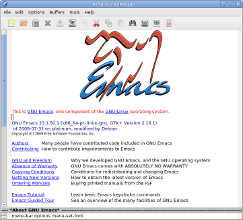
My Emacs Writing Setup

A few years ago, due to the interest in my post on Writing Tools, I published an HTML document on my Emacs writing setup. 

I continue to use Emacs to write, however I’ve now adopted Doom Emacs. You can read about my Doom Emacs Writing Set Up here.

If you want to know how I plan and plot stories, you may find the document interesting.  You’ll probably find it more interesting if you use Emacs yourself.

A Note on Emacs

I think of Emacs as a text editors’ tool. As I spend most of my life working with text, either programming or writing, I want to do it as efficiently as possible.

It first struck me when I was editing my novel Divergence just how inefficient I was being in pressing the arrow key and waiting for the cursor to get to where I wanted. That got me thinking about the time spent deleting text, transposing words, moving around paragraphs… I realised there must be a quicker way.

And then I remembered Emacs.

It makes sense for someone who spends most of their time manipulating text to learn a group of obscure key combinations. It saves time and increases productivity. Learning to use Emacs properly reminds me of playing Jazz on the piano. I’ve learnt all those chords and runs and fills so that I can use them without thinking when I’m improvising. Likewise, I’ve practiced using Emacs key strokes such as M-f, M–M-c and C-M-<Space> so often I use them without thinking when editing. I rely on M-/ to complete words, and I can’t do without M-h and C-e to select and move around text.

I practice using Emacs because it makes me a more productive writer. If you’re interested, I’ve written up some of those tips and exercises on my Emacs Workout.

Writing Tools

Charles Stross has written an interesting polemic about Why Microsoft Word must Die over on his blog.

I broadly agree with him.  But this post isn’t to dwell on what’s wrong with Word, but rather to look at the alternatives.

Replacing Word is easy.  I’ve used LibreOffice (and its predecessor, OpenOffice) Writer for around 7 years now with few problems. Neither my publisher nor my collaborators appear to be aware of the fact that I’m not using Word, which makes me wonder why people say that Word is essential.  The sort of demands placed on a Word Processor when producing text based manuscripts are not particularly heavy.  I suspect an unwillingness to move away from Word is down to fear of the unknown rather than any solid reason.

The advantages of LibreOffice are that it’s free, it’s Open Source (if that’s important to you), and it’s sufficiently similar to Word to make the transition quite straightforward.  As an added bonus is it doesn’t have the Microsoft ribbon toolbar which I find irritating to say the least.

Of course, as Charlie points out, Word and LibreOffice don’t lend themselves to extended pieces of writing.  More and more writers are switching to software that allows you to structure your writing, a common example being Scrivener.  I’m a great believer in such tools.

Emacs and org-mode is one such tool.  I discovered org-mode for Emacs in 2008. I wouldn’t recommend Emacs to everyone, but I find it the ideal application for planning, structuring, writing and editing.  I’ve written my last three novels using org-mode, exporting the finished products to odt (Libreoffice) format when I’ve finished. You can find out more about my Emacs writing set up by following this link.  Aethernet Magazine is also produced using org-mode.  The magazine is marked up using org-mode codes and then exported to html for conversion to mobi format using kindlegen.  There’s more about Emacs over on my tech blog.

Finally, I use the Evernote App on my phone to record notes and pictures.  I’m a great believer in getting ideas and dialogue down “fresh”. They’re never as good if you try to recreate them later.  I’m actually writing nearly fully realised scenes now on Evernote, line by line, as the mood hits me.

Take a look at my monthly series How Writers Write to see other writer’s setups