Lightweight .emacs

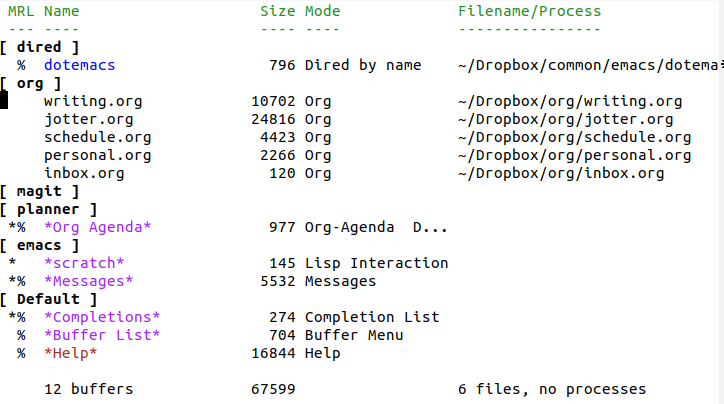
The last couple of years have seen a change in my Emacs setup. Work dictates that I have to use a number of different machines; in the past I’ve tried to give a consistent experience no matter which machine I was working on. Bookmarks, abbreviations, org-agendas were all stored on Dropbox, and an increasingly complicated set of code took into account paths for different operating systems and network setups. 

It came to a point where I seemed to be spending more time on my .emacs files than I was on actually doing anything.  I began to ask myself, was consistency that important?

The answer was no.

So I changed my approach.

I’ve streamlined my init file as much as possible. I now spend my time trying to find a way to use existing features as far as possible, If possible, I write lightweight code to solve a problem,  only installing packages as a last resort.  (take a look at my really simple scrivener mode for an example of this)

I still use packages, of course. I’m not going to stop using org mode or evil or magit, but I don’t need them on every computer. 

As far as my Emacs setup goes, I now only use Dropbox to enable the use of Orgzly and Beorg on my portable devices (I still use it to sync all my other files, of course)

Lastly, I’ve had a love hate relationship with Evernote over the years but I’ve been really impressed by the direction that it’s been going over the past 18 months.  All my records are now stored there, my agenda and editing is all done on Emacs (I sometimes forget that editing was its initial purpose).

Milanote

Milanote is a tool for organizing projects into kanban like boards. It’s targeted at creatives, and comes with a variety of templates, not only for writers but for fields as diverse as game design, interior design photography and software development.

You can write notes and todo lists, upload images & files and save things you find on the web, which is pretty typical for this sort of software. Where Milanote differs from other products mentioned on this site is the way you can organize things visually.

Crucially, you can export your boards as pdfs or pngs, or export them in doc, md or txt format.

There is a free version available with no time limit. The PRO version is $9.99 per month (monthly and annual plans)

Disclosure: Milanote shared a lifetime subscription with me in return for writing this post. I must admit, I’m a plain text sort of guy and always will be, but if you think in pictures and not in words, this may well be the tool for you.

Forks

Here is my pile of forks. The forks live on a shelf above my desk at work.

Every time I get a take away meal from the restaurant I take a metal fork with me. 

I always used to take my metal fork back to the restaurant when I finished my meal. This is because I am the sort of person who likes to keep things tidy. A place for everything and everything in its place. But it was also partly because it just seemed the right thing to do.

And then there was a notice in the staff bulletin saying that staff must return their cutlery to the canteen after their meals.  It listed the number of knives and forks in the canteen on a day to day basis and pointed out that the number was falling.  Staff were instructed to return their cutlery immediately.

Quite naturally, I began to hoard forks.

I know that not returning the forks is childish. I’m also aware that the pile of forks is upsetting me. I’d much prefer them to be back in their natural environment: basking in the cutlery tray. 

But most of all I’m really irritated at being instructed to do something I was planning to do anyway.

That’s why I have a pile of forks.

The Undecidable Blues

I wrote the following lyrics years ago, when I was doing my Maths degree. My friend, occasional collaborator and Dream London crimelord, John “Daddio” Clarke, has put them to music: listen here

The Undecidable Blues
by Tony Ballantyne

Woke up this morning, aware of my own inherent limitations
I said I woke up this morning, aware of my own inherent limitations
The fact that I can't prove them is one of those persistent aggravations

My baby makes these statements that are true, but unprovable
I said my baby makes these statements that are true, but unprovable
I ask her to explain herself but my baby is immovable

The way my baby's treating me don't demonstrate no consistency
You know the way my baby's treating me don't demonstrate no consistency
I say it's axiomatic: that my baby is a mystery

I said: "Baby won’t you tell me, you don't give me no clues
I’m riven by uncertainty, I don’t know how to choose"

I've got them Gödel's incompleteness theorem blues

John Daddio Clarke and the Cyprus Rodeo Blues Sisters sing The Undecidable Blues: listen here

Trespass

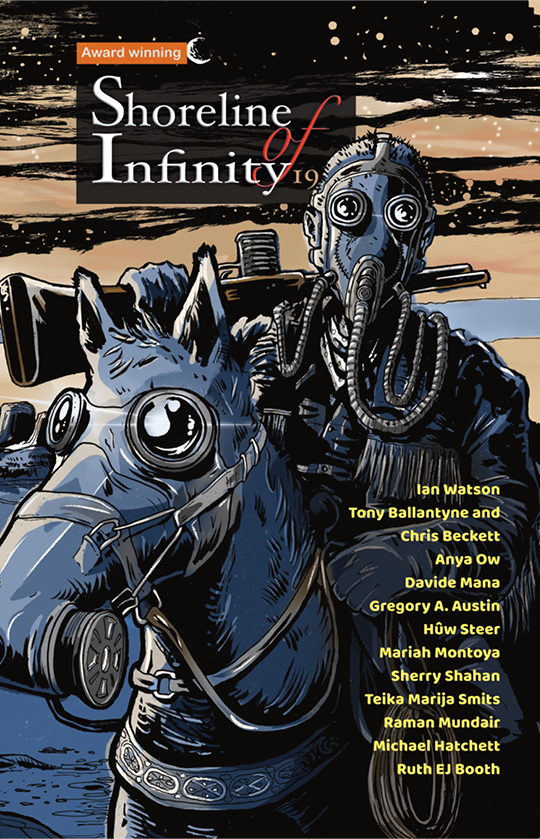
Trespass appears in the September/October 2019 Issue of Analog

Fans of the Recursion series may recognise Craig, Armstrong and Joanna – as well as the Eva Rye – from the beginning of Divergence.

The story continues the Fair Exchange series that has been appearing in Analog over the past few years. It takes place in the Recursion universe around 12 years after the events depicted in the novels.

Goodbye Simplenote, Hello Again Evernote

We’ve all got a list of our favourite CEOs.

Okay, we haven’t. But if we did, mine would be Ian Small of Evernote.  You can see him here, clearly uncomfortable at being in front of the camera. I rather like him for that. Being good on camera doesn’t mean you can do the job. I’m increasingly wondering if the opposite might be true.

Anyway, read this message Ian Small wrote back in January, stating Evernote’s priorities for the year ahead. I particularly liked this passage:

And honesty requires us to state—straight out—that we can do better with the product you have today than we are currently doing. In fact, we can do better than we have been doing for some years.

He goes on to promise to concentrate on getting the foundations of the product right before adding new features.

Since then he seems to be making good on his promise.  

You might remember this article I wrote in 2016 saying I was leaving Evernote for Simplenote. Well, I’ve now gone back to Evernote. I like the direction things are going. I’m still disappointed with the lack of Linux support but I’ll trade that in for something that’s solid, or at least is attempting to get things right.

And I must admit, I rather like Ian Small’s (rather awkward) style.  Many people seek advancement by promising to make big changes.  They go for the grand gesture and then move on, leaving others to sort out the mess they’ve made. It’s rather refreshing to see someone quietly getting on with the challenge of trying to make something that’s already quite good work just that little bit better.

The Pointless Rules of English

I wasn’t really taught grammar at school.  Not in English lessons, anyway.    A friend who knows about such things explained that this was actually good practice, that English is not an inflected language, and that grammar is best taught when studying an inflected language such as German.

I think they’re probably right.  I seem to have absorbed the rules of grammar from somewhere, I rarely get corrected by sub editors.

So I approached this book with a certain amount of suspicion.  Yes, I’m interested in linguistics (as many coders are), but no, I’m not interested in the difference between the subjunctive and the indicative mood.

Or so I thought.

I can’t remember enjoying a book so much in ages

This would be a good book to dip into, but as I’m the sort of person who reads everything from beginning to end (including, when I was a child, a dictionary) I did just that.

And why not?  Everything from coordinate adjectives to the vowel quadrilateral is explained clearly and simply.  There are lots of top tips and random language facts to think about.  The book even manages to squeeze in a brief history of language itself.

Not only that, the book is funny.  Genuinely funny. Who’d have thought a passage on contrastive focus duplication could be so amusing?  I even finally learned how to capitalise properly, something I’ve always been rather ashamed to admit I couldn’t do.

Oh yes, and I rather suspect this may be the first book on linguistics to feature Droylsden market.

The chances are if you’re reading this blog you’re either into coding or writing.  I’m recommending this book to both techy types and writers.  So much so that its now number seven on my list of Six Books Every Writer Should Read.

The Pointless Rules of English by M. Amelia Eikli and Lindsey Williams